Guide
E2B Sandbox, Explained for Teams Giving Every Customer an Agent
E2B gives an agent its own Firecracker microVM with one SDK call. Here is how its sandboxes behave, how they map to one agent per customer, and which jobs stay on your plate.
Agent to Product Editors · Checked against the sources on
The short answer
- An E2B sandbox is a Firecracker microVM, not a container: each one boots its own kernel, so code an LLM wrote runs behind a hypervisor boundary. You create one with
Sandbox.create()from thee2bpackage for JavaScript or Python. - Sandboxes are short-lived by default: the timeout is 5 minutes and the default action when it runs out is to kill the sandbox. For an agent a customer comes back to, set
onTimeout: 'pause'andautoResume: true; a paused sandbox keeps its files and memory indefinitely and isn't billed for compute. - One agent per customer maps onto a few primitives: a template for the agent, a sandbox per customer tagged with
metadata, an idempotency key so a retried signup doesn't create two, and the sandbox ID stored on the customer record. - E2B runs the VMs. You still own the agent itself, idle policy, per-customer credentials, cost per customer and cleanup when a customer leaves.
What an E2B sandbox is
E2B describes its product as isolated cloud sandboxes where AI agents execute code, process data and run tools. Your application starts one through the SDK (npm i e2b or pip install e2b) with an E2B API key, then runs commands, reads and writes files, and opens ports inside it.
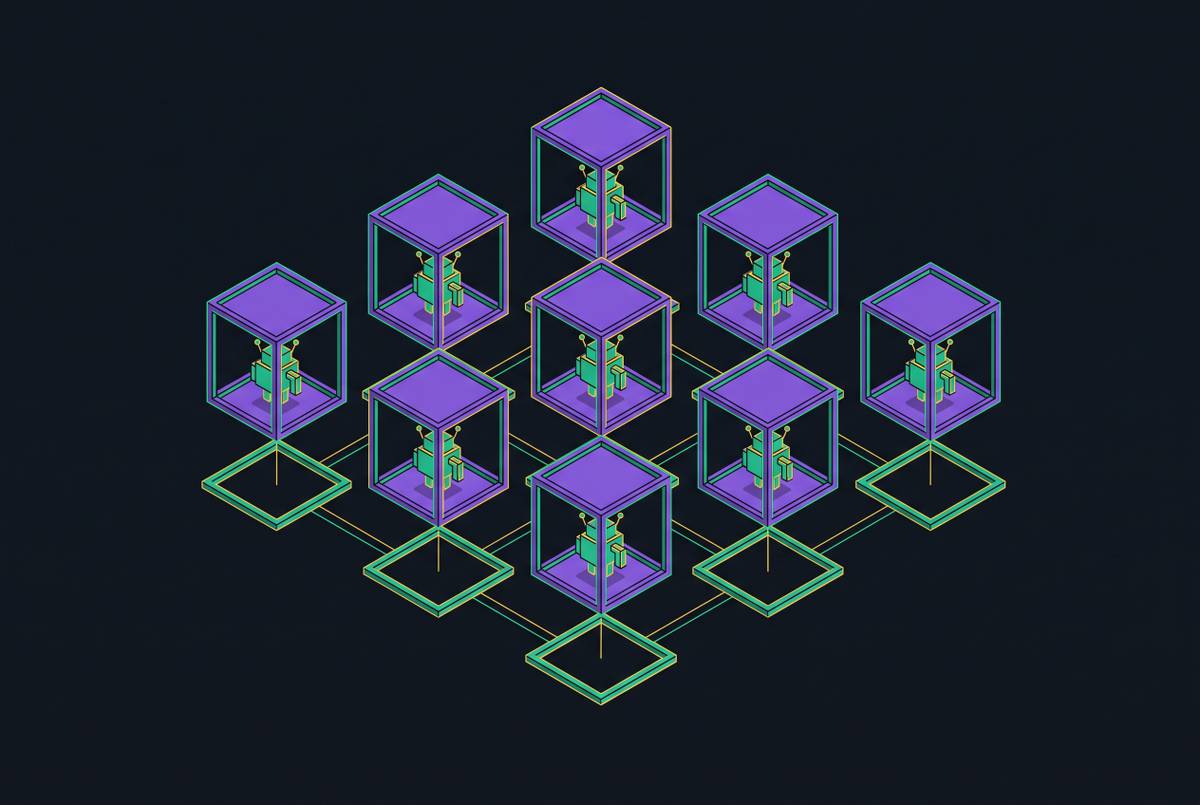
E2B's security FAQ states that every sandbox is a Firecracker microVM that boots its own kernel and is isolated from other sandboxes and from the host by the hypervisor. That is a stronger default than a shared-kernel container, and it is why the platform is commonly used for code an LLM generated or a user supplied. This site's piece on evaluating agent platforms by isolation depth explains why that boundary matters more than the API surface.
The docs describe three building blocks:
- Sandbox: a Linux VM created on demand for your agent, which you can pause and resume.
- Template: what a sandbox starts with: base image, files, environment variables, commands, and an optional start command that is captured in a snapshot so the process is already running when a sandbox boots.
- Persistence: pausing saves both the filesystem and the memory, so running processes and loaded variables survive until you resume.
E2B also documents running coding agents such as Claude Code, Codex, OpenCode and Hermes Agent inside a sandbox, so the sandbox can host the agent itself rather than only the code it writes.
The lifecycle: timeouts, pause and resume
The lifecycle is the part most likely to surprise a team that wants a persistent agent per customer. Per E2B's docs, every sandbox has a timeout that defaults to 5 minutes, and the default action when it expires is kill: the sandbox is terminated and its state is gone. You change both when you create it.
| State | What it means | Billed for compute? |
|---|---|---|
| Running | Executes code. Counts toward your concurrency limit. | Yes, per second, for the vCPU and RAM allocated |
| Paused | Filesystem and memory saved. Kept indefinitely: no time-to-live, and E2B never deletes a paused sandbox on its own. Doesn't count toward concurrency. | No |
| Killed | Terminated and released. Can't be resumed. | No |
Set lifecycle: { onTimeout: 'pause', autoResume: true } at creation and a sandbox pauses when its timeout runs out, then wakes on the next SDK call or HTTP request to one of its URLs. Two details from the docs to plan around:
- Activity doesn't extend the timeout. Running commands, reading or writing files and requests to the sandbox's URL don't reset the clock of a running sandbox. Call
setTimeout()(set_timeout()in Python) when the customer is active. - Continuous runtime is capped by plan: 1 hour on Hobby and 24 hours on Pro. Pausing and resuming resets that window, so a sandbox that pauses between sessions can be kept and reused for as long as you want.
A pause can also save only the filesystem (mode: 'filesystem'): a lighter snapshot that reboots on resume, and that can't be combined with auto-resume. E2B also offers named snapshots and forking, which boot new sandboxes from a running sandbox's exact state.
How it maps to one agent per customer
If your product gives each customer their own agent, E2B's primitives line up with the customer lifecycle like this:
- Build the agent into a template with its dependencies, CPU and memory (
cpuCount,memoryMB), and a start command so the agent process is already running when a sandbox boots. - Create the sandbox at signup, from the webhook that creates the customer's account (see wiring provisioning into your signup webhook). Pass
metadata: { userId }so you can find it later, and anidempotencyKeyso a retried request returns the same sandbox instead of a second one. - Store the sandbox ID on the customer record.
Sandbox.connect(sandboxId)reconnects to it, and resumes it if it is paused. If the ID is ever lost,Sandbox.list()filters running and paused sandboxes by metadata. - Pause between sessions with
onTimeout: 'pause'andautoResume: true, and extend the timeout while the customer is active. - Kill it when the customer leaves, after exporting anything you have promised to keep (see teardown and cleanup flows).
import { Sandbox } from 'e2b'

const sandbox = await Sandbox.create('<your-agent-template>', {
  metadata: { userId: customer.id },
  idempotencyKey: customer.provisioningKey, // lowercase UUID, reused on every retry
  timeoutMs: 10 * 60 * 1000,
  lifecycle: { onTimeout: 'pause', autoResume: true },
})

await db.customers.update(customer.id, { sandboxId: sandbox.sandboxId })E2B keeps an idempotency key for 24 hours from its first use, and a retry with the same key but different parameters is rejected rather than creating a sandbox. The site's guide to idempotent agent provisioning API design covers the same pattern on your own side of the API. For notifications rather than polling, E2B can send lifecycle webhooks such as sandbox.lifecycle.created and sandbox.lifecycle.killed.
Network access, public URLs and secrets
Isolation of compute is only half the job when an agent can reach the internet and the customer's tools. What E2B's docs say about the other half:
- Outbound internet is on by default. Turn it off with
allowInternetAccess: false, or usenetwork.allowOutandnetwork.denyOutfor allow and deny lists of IPs, CIDR blocks and domains. Domain filtering works only for HTTP on port 80 and TLS on port 443; other ports are filtered by CIDR only. - Public URLs can be private. A sandbox's public URL is either open to anyone with it or requires the sandbox's traffic access token. E2B says projects created since October 30, 2026 default to private traffic, while older projects keep their existing default;
allowPublicTrafficoverrides it per sandbox. If you use the Code Interpreter on a public sandbox, anyone with the port 49999 URL can run code in it, so restrict it. - Secrets can be injected outside the sandbox. Stored secrets are added to matching outbound HTTPS requests by E2B's egress proxy, so the value never sits inside the VM. The docs warn that every process in the sandbox sending a request to that host gets the secret, and that an unresolved secret fails open: the request is still sent, without the header.
E2B's billing page lists 10 secrets per project on Hobby and 100 on Pro, so the secrets store suits your own API keys rather than one OAuth token per customer. Per-customer tokens for Gmail, Slack or GitHub still need their own storage, refresh and revocation; see OAuth credential management for hundreds of agent users.
The plan limits that matter for one agent per customer
E2B bills per second for the vCPU and RAM of running sandboxes, on top of a plan. The limits below are the ones that shape a per-customer design; prices change, so check E2B's pricing page and its billing and limits docs for current rates and numbers.
| Limit | Hobby | Pro | Why it matters |
|---|---|---|---|
| Concurrent running sandboxes | 10 | 100 included, add-ons up to 1,100 | Caps how many customers' agents can be awake at once. Paused sandboxes don't count, so pausing idle agents is what lets the number of customers exceed it. |
| Sandbox creation rate | 1 per second | 5 per second | Caps signup bursts. Queue provisioning rather than failing signups (see concurrency limits and queue design). |
| Max continuous runtime | 1 hour | 24 hours | An always-on agent must pause and resume at least this often. |
| Paused sandbox retention | Unlimited | Unlimited | A customer's agent can sit paused between visits without expiring. |
| Secrets per project | 10 | 100 | Not a place for per-customer credentials at any scale. |
Other constraints from the docs: sandboxes are CPU-only, with no GPU option; the default size is 2 vCPU and 512 MiB of RAM; and API endpoints are rate-limited per project, returning 429 with a Retry-After header that recent SDKs honour. Spending limits can be set in the E2B console.
Where it runs: E2B Cloud, BYOC and self-hosting
E2B's managed sandboxes run on Google Cloud, plus a US West region on AWS; an EU cluster is available on request. Two other deployment models, per E2B's BYOC page:
- BYOC (Bring Your Own Cloud): an E2B-managed deployment inside your own AWS account, GCP project or Azure subscription, for Enterprise customers. Sandbox traffic, templates, snapshots and logs stay in your VPC, and the SDK, CLI and API are the same.
- E2B Embed: the open-source runtime (Apache-2.0) packaged for one Linux machine with KVM, which you install and operate yourself. E2B describes it as a single-machine product; scaling across machines is BYOC.
For compliance, E2B says it has a SOC 2 Type II report, available with its DPA template and penetration test from its Trust Center.
What you still run yourself
E2B gives you the isolated VM and its lifecycle. When the agent inside it belongs to a paying customer, these jobs stay with your team:
- The agent and its template. Building and versioning the agent image, and deciding how an update reaches customers whose sandboxes were created from an older template. See versioning agent configurations across a growing user base.
- Idle policy. Choosing timeouts, extending them while the customer is active, and deciding when a paused agent should be killed. The site's piece on idle agent cost control covers the policy side.
- The customer-to-sandbox mapping. Storing the sandbox ID, reconciling it with metadata after failures, and making sure one customer can never be connected to another's sandbox.
- Per-customer credentials and egress rules. E2B gives you per-sandbox network rules; deciding what each customer's agent may reach, and storing its OAuth tokens, is yours.
- Cost per customer. E2B bills your project, not your customers. Mapping sandbox usage back to accounts for pricing and margin is your work; see per-user agent cost breakdown.
- Health and stuck sessions. E2B exposes sandbox metrics and lifecycle events; knowing whether a customer's agent is making progress is a signal you define.
E2B compared with a managed per-user agent platform
E2B is a sandbox layer you build a product on. The other route is a platform that hosts one isolated, persistent agent per user for you, such as Agent37, whose Cloud API creates a per-user agent sandbox with one API call. How the two compare on the jobs above:
| E2B sandboxes | Managed per-user agent platform | |
|---|---|---|
| What you get | An isolated Firecracker microVM per sandbox, controlled through an SDK | A hosted agent per user, provisioned through the platform's API |
| Provisioning a customer's agent | Sandbox.create() from your template, with metadata and an idempotency key | One API call to the platform |
| Persistence | Opt in with onTimeout: 'pause'; the default kills the sandbox after 5 minutes | Check what the platform does by default |
| The agent itself | You build, package and update it in a template | Check which agents the platform runs and how updates roll out |
| Per-customer credentials | Yours to store; E2B's secrets are per project | Check the platform's integration and credential docs |
| Cost | Plan plus per-second compute; see E2B's pricing page | The platform's price; see its pricing page |
| Best fit | Teams building their own agent runtime who want strong isolation without running VMs | Teams that want each customer to have a working agent without building that layer |
If you are weighing self-run infrastructure instead, this site's guide to Kubernetes Agent Sandbox covers the same jobs on your own cluster, and what out-of-the-box agent provisioning actually means across today's platforms compares the options more broadly.
Is E2B the right call for you?
It is a good fit when most of these are true:
- You are building your own agent and want it, or the code it writes, behind a microVM boundary without operating VMs.
- Your agents run on CPU; there is no GPU option.
- You can design for pause and resume, since continuous runtime is capped and concurrency counts only running sandboxes.
- You are prepared to build the customer mapping, idle policy, per-customer credentials and cost attribution on top.
If the goal is that every customer has a working agent the moment they sign up, without building that layer, a managed per-user platform will usually get you there with less to run. Either way, the requirements are the ones laid out in what persistent per-customer context requires from your provisioning layer.
Sources
- E2B documentation
- E2B: Sandbox lifecycle
- E2B: Sandbox persistence
- E2B: Auto-resume on request
- E2B: How long does a sandbox live?
- E2B: Sandbox metadata
- E2B: Idempotent sandbox creation
- E2B: Internet access
- E2B: Restricting public access
- E2B: Injecting secrets into requests
- E2B: Billing & limits
- E2B: BYOC (Bring Your Own Cloud)
- E2B: Security and compliance
- E2B pricing