Scoping GitHub Permissions for Agent Automations
Fine-grained tokens and GitHub Apps limit agent access to exactly what each task requires.
Advertisement
Getting GitHub permissions right for agent automations comes down to one design question: does the agent have what the task needs, and nothing more? An under-constrained agent, running with more access than the job requires, was the real risk, waiting for a bad prompt or a bug to turn that extra access into a real problem. It's an under-constrained one, running with more access than the job requires, waiting for a bad prompt or a bug to turn that extra access into a real problem.
A July 2026 analysis of coding-agent releases said the shift underway isn't "the agent can code now," it's "the agent can be operated now."" That distinction matters because operating something safely means designing four things before it ever runs: identity, repository scope, branch controls, and approval gates. If you skip any one of those, the other three don't hold up on their own. Research backs this up too. A paper at a security research venue (pages 336 to 354) ran user studies across 203 participants and 65 scenarios spanning 8 domains, and found that permission decisions are contextual. There's no single default that works everywhere. That's the case for deliberate scoping, built section by section, rather than a broad grant handed out because it's easier.
GitHub's three credential types and which one agent automations should use
GitHub gives you three ways to authenticate an automation, and only one of them is really built for this job.
Classic personal access tokens (the ones prefixed ghp_) grant account-level access with coarse OAuth scopes. There's no way to restrict them to a single repo. Expiry is optional unless an org or enterprise policy forces it. A single leaked classic PAT can expose every private repo the token's owner can see, which is a lot of surface area for one credential.
Fine-grained PATs (prefixed github_pat_) fix most of that. They support up to 64 distinct permission types, each dialed to no access, read, or read-write. You pick "only select repositories" instead of everything. Expiry is enforced automatically, capped at 366 days, and each account is limited to 50 tokens total.
GitHub Apps sit above both as the machine-identity tier. They're installable, they issue short-lived tokens on demand, and every action they take gets attributed to the app itself, not a human account. For multi-tenant setups or anything running in production, this is the right layer.
As of mid-2026, GitHub hasn't announced a sunset date for classic PATs, but the guidance is clear: use fine-grained PATs whenever possible. A few gaps remain, mainly around Packages and the Checks API, and multi-organization access for fine-grained PATs is still in Public Preview. Outside those edge cases, though, if an agent stack still depends on a classic PAT, that's a stack that needs rework.
Mapping agent capabilities to the minimum permission set that supports them
Start with what the agent actually does, not what it might eventually do. A review-only agent and a commit-pushing agent are two entirely different risk profiles, and they should hold two entirely different permission sets.
GitHub's own App permission model maps onto real agent behavior in the following ways:
Contents: read lets an agent clone the repo, review code, run analysis. Contents: read & write lets it create branches, push commits, prepare fixes. Pull requests: write lets it interact with PRs. Issues: write lets it work with issues for triage or follow-up. Checks: write lets it publish results as check runs visible right on the PR.
Two more permissions matter for anything touching CI: Actions: read so the agent can monitor pipeline outcomes, and Workflows: write, which should be explicit opt-in only, since it lets the agent trigger workflow runs on its own.
The discipline here is simple to state and easy to skip in practice. A security-reviewer agent can do its entire job with Contents: read, PR interaction, and check reporting. It doesn't need write access to push code, and it definitely doesn't need permission to launch workflows. During a pilot, scope to selected repositories only, and expand from there once the workflow's been validated somewhere noncritical, a dedicated test repo, not the main branch of anything that matters.
Common failure modes when a permission is present but the operation still fails
Permissions and repository policy are separate systems. A token can have every scope it needs and the operation still fails, because the repo itself says no. That confusion eats more debugging time than almost anything else in this stack.
Take the classic case: a 403 on commits. The agent can fetch code just fine but can't push or create a branch. Most often, Contents is set to read-only instead of read & write. And fixing the scope isn't enough on its own, either, the token has to be regenerated and the agent's environment variables updated, because an existing token doesn't inherit new scopes retroactively. It just keeps the old ones.
A fine-grained PAT works fine against personal repos, then fails the moment it touches an org that enforces SAML single sign-on, and SSO and SAML conflicts occur just as often. A fine-grained PAT works fine against personal repos, then fails the moment it touches an org that enforces SAML single sign-on. The fix lives in a spot that's easy to miss: Settings, then Developer settings, then Fine-grained tokens, then Authorize next to the target org. That authorization step is completely separate from granting the token's scopes in the first place, and skipping it is a common mistake, not a rare one.
Then there's the case where the token is right and the repo still blocks the push: branch protection. The agent might have Contents write, full and correct, and still get stopped cold by a branch ruleset. Review those rules for restrictions on bot branches, naming patterns, or required approvals before assuming the token is broken. Token scope answers "can the agent push to this branch," and branch policy answers "does this branch accept pushes from this identity."" Both have to say yes.
GitHub Agentic Workflows' layered security model and its read-only default
GitHub Agentic Workflows runs coding agents inside GitHub Actions, authored in markdown, with defense-in-depth built into the design rather than bolted on after. It supports GitHub Copilot, Claude Code, Google Gemini, and OpenAI Codex as engines, running on standard Docker or, in preview, cloud-hypervisor sandboxes.
The permission model flips the usual default. Workflows run read-only unless told otherwise. Any write operation, creating a PR, adding a comment, has to go through what GitHub calls "safe outputs," a pre-approved, reviewable set of GitHub operations rather than a direct write path. The agent doesn't get to just push something. It proposes an action that fits a pre-approved shape, and that action gets reviewed.
Around that sits a stack of independent layers: sandboxed execution, tool allowlisting, network isolation, scoped permissions, gated outputs, and threat detection. Independent is the operative word. If one layer fails, say a tool allowlist gets misconfigured, the others don't collapse with it. That's the whole point of defense in depth: no single mistake should be enough to cause real damage.
GitHub permission handling across OpenClaw, Hermes, Claude Code, and Codex
These four systems take genuinely different approaches to the same problem, and the differences matter for anyone deciding how to wire one into a GitHub workflow.
OpenClaw acts as a central coordination layer between the user and the underlying AI models, managing the connections and dispatch that agent workflows depend on. Its design prioritizes flexibility and capability, which is a real distinction for anyone running it in production rather than testing it solo. OpenClaw also carries the largest community footprint of the four, approximately 389,500 stars as of September 2026, with a separate awesome-openclaw-agents repository holding 162 production-ready templates spread across 19 categories. In any multi-user deployment, per-user identity and per-session token scoping stop being nice-to-haves and become the whole ballgame. Because the default leans permissive, the operator has to build the token and branch policy layer by hand. The agent won't do it for you.
Hermes Agent works differently by design. It runs a closed learning loop: every 15 tasks, it evaluates what worked, pulls out patterns, and writes new skill files it draws on going forward. Its self-improving design means the agent's capability doesn't sit still. It grows. Hermes currently ranks as the number one tracked app on OpenRouter by token volume, somewhere around 50.5 trillion tokens. Whatever the agent could do in week one isn't a reliable guide to what it can do in week ten, so token scopes and branch policies need a review cadence tied to that skill growth rather than a one-time setup at deployment and then silence.
Claude Code integrates two ways: through GitHub Actions (built on the Claude Agent SDK) and as a Copilot coding agent, available to Copilot Pro+, Enterprise, Business, and Pro customers. Repository access is opt-in at the repo level, users pick exactly which repos the agent can touch in Copilot's coding agent settings, so turning Claude "on" is a deliberate act, not something that happens by default. Manual setups should keep repo permissions tight. Recent updates have expanded Claude Code's capability surface with new features and broader platform availability. Every one of those is a new capability surface, and each new surface is a reason to go back and check what repository permissions the agent's actually holding.
OpenAI Codex takes an isolation-first approach. Each task spins up in its own cloud environment, preloaded with the relevant repo, where the agent reads and edits files, runs tests, and calls code-checking tools before handing results back for human review. It's available as a coding agent for Copilot Pro+ and Enterprise, during the public preview. The one-environment-per-task structure is itself a permission boundary. Isolation by architecture shrinks the blast radius before any explicit scope even enters the picture.
Branch protection and approval gates as the enforcement layer for agent-generated changes
Token scopes decide what an agent can attempt. Branch protection decides what the repository will actually accept. Both layers have to be in place, because either one alone leaves a gap the other was supposed to cover.
A few branch protection controls do most of the work for agent automations. Require pull request reviews before merge, so every agent-opened PR has to clear a human. Set draft pull requests as the default for anything agent-generated, which signals what it is without making it eligible to merge on its own. Require status checks, so agent changes have to pass CI before a reviewer even looks at the merge button. Restrict push access on protected branches so bots and agent identities can't push straight to main or a release branch. And use branch naming rulesets, something like agent/*, so agent-created branches are obviously distinguishable in the audit log later.
None of that replaces testing the whole loop end to end, PR creation, issue updates, CI response, human review, in a noncritical or dedicated repo before it touches production. And none of it is a one-time setup either. Fine-grained PAT expiry tops out at 366 days, agent capabilities shift (see Hermes, above), and team membership changes. All three drift over time. Permissions and policies need a periodic review cycle built in, not just a launch-day checklist.
Putting the blueprint into a repeatable checklist before an agent goes to production
Four questions, asked in order, before any agent touches a real repository.
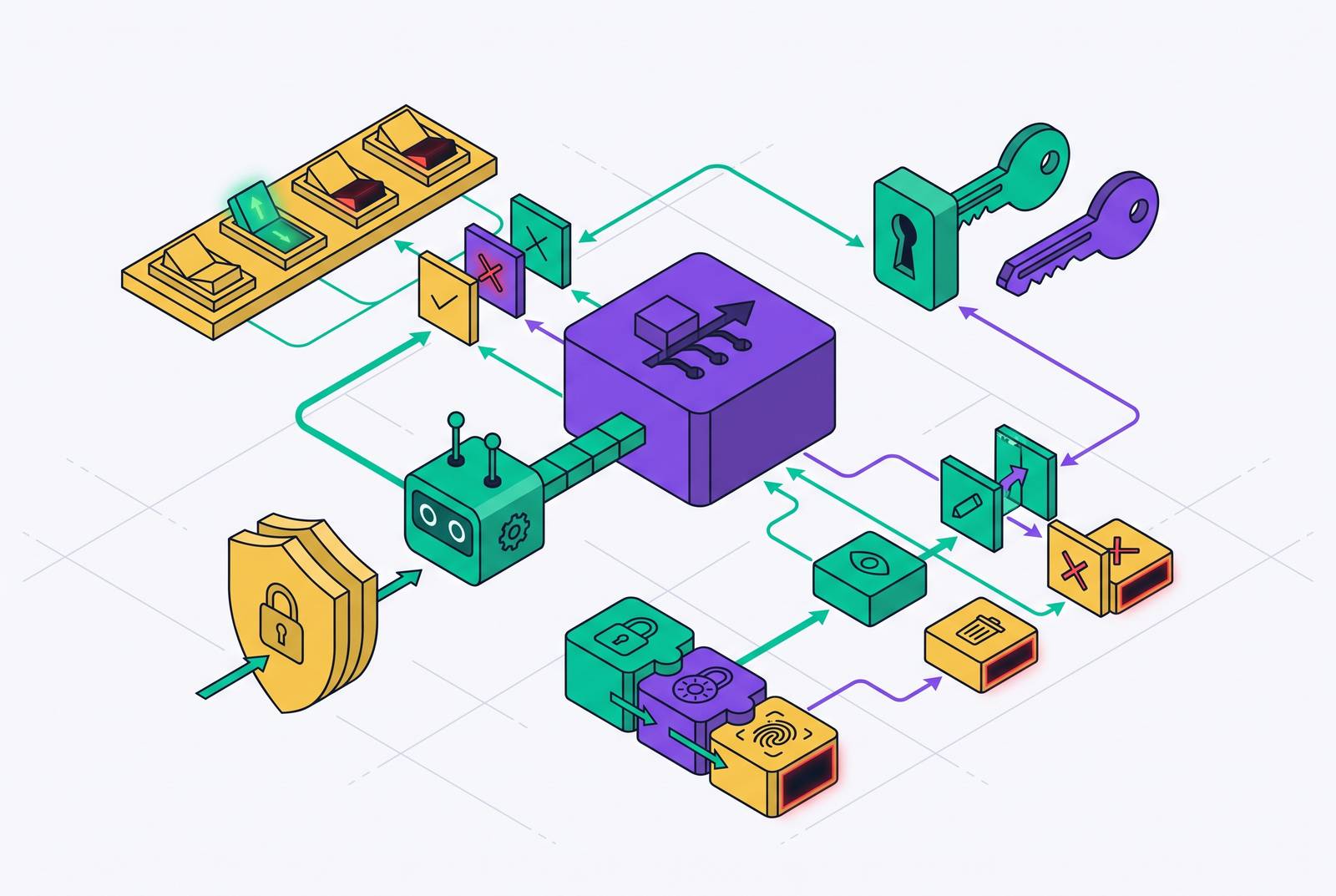
Identity. Is the agent authenticated as a machine identity, a GitHub App or a fine-grained PAT, rather than riding on a human account or a classic PAT?
Scope. Is the token locked to the specific repository or repositories the task actually needs, not "all repositories" because that was the easier checkbox?
Permissions. Does the permission set match the agent's actual job? Read-only for a reviewer. Contents write only for an agent that prepares commits. No Workflows write unless triggering workflow runs is something the agent's explicitly meant to do.
Expiry. Is token expiry enforced, up to that 366-day maximum for fine-grained PATs, and is there an actual rotation schedule behind it, not just a default that nobody revisits?
Four questions. Answer all four honestly before deployment, and most of the failure modes above never get the chance to happen.
Sources
- GitHub - llm-platform-security/ai-agent-permissions: Towards Automating Data Access Permissions in AI Agents
- GitHub Agentic Workflows now in Technical Preview ✨ · community · Discussion #186451
- Home | GitHub Agentic Workflows
- github.blog
- GitHub credential types reference - GitHub Docs
- docs.github.com
- sfailabs.com
- docs.github.com